


EHRlens Notes
Notes by Group
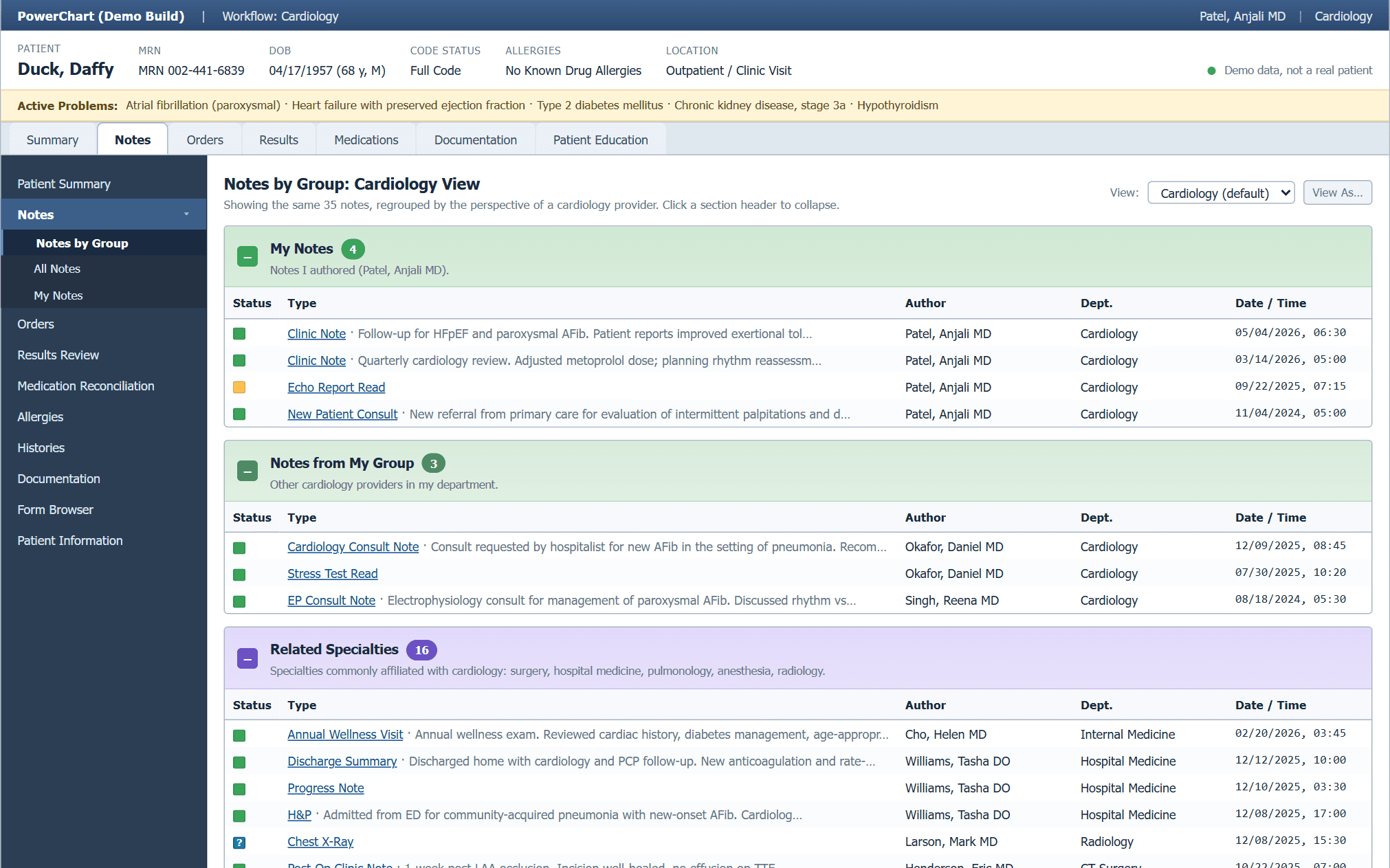
Rapidly assimilate the patient's story. At a glance, see every relevant note and the full chronology of contact for a specific specialty, plus related notes from the departments you choose. No searching required.
What it does
Save 1-2 minutes or more per patient. While increasing care quality and specificity.
Your specialty's perspective. Focus on the chronology as you and your group read it.
Continuity of care by individual provider. And patients love that you know their story.
Tabbed views. Refine the chart further for the different clinical scenarios a specialty sees.
Where the value accrues
EHRlens Notes is useful for both hospital and clinic patients, and its value compounds over time. The more providers within a specialty who have seen a patient, the more the regrouped view saves.
It is especially valuable when chart notes arrive from many sources or a large HIE, and for patients covered by call doctors, residents, and APP/MLPs, where no single provider holds the whole history.
At Billings Clinic, EHRlens Notes is the 3rd most active MPage across the entire system.
One chart, many lenses
Collapsed and sectioned views
Every section collapses independently, so a provider can move from a full chronology to a one-screen summary of consents, pathology, and outside documentation without leaving the page.
Sections regrouped
- 01
My Notes
Authored by the provider who opened the chart
- 02
Related Notes
The specialties clinically adjacent to yours
- 03
Documents in Department
- 04
Consents
- 05
Pathology Reports
- 06
Other Notes that qualify
3 yrs / All
Look-back toggles built into the view
The rest of the EHRlens toolset
Get started
See EHRlens Notes on your own charts
Book a 20-minute demo and we will walk through a real chart scenario from your specialty.